Posts

Showing posts with the label repair

How to fix update isn't applicable to your device error in Windows 10

When you're attempting to update your Windows installation to the latest version you may come across this error if you're trying to install the software remotely from bootable media, such as a USB drive. This will usually happen if the current version of Windows that you're running hasn't been fully updated yet. To make sure that you're running the latest possible version of Windows for your machine you'll have to check for any Windows Updates and download any that are available. This should happen automatically but we'll show you how to get there manually too. Head down to your search bar at the bottom left of your screen, and type in 'Windows Update'. Select the top search result, and a window will appear. At the top of this window, there will be a 'Check for Updates' button. Click this button and Windows will manually check if there are any updates available for your machine. If there are updates ready to be downloaded or installed, comple...
How to Fix the Most Common Problems With LCD Monitors

Image
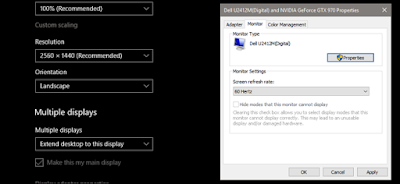
Most Common Problems With LCD Monitors Computer monitors are fairly simple, in use if not in actual construction: plug ’em in, turn ’em on, look at your computer stuff on the brighter part. But misleadingly easy as they might seem, there’s a lot of stuff going on inside that blank plastic case…and a lot of stuff that can go wrong. Unfortunately, most of that stuff requires either a certified repair or a complete replacement to fix. Unless you’re especially handy with electronics and you just happen to have access to cheap replacement parts, it’s usually better to either return a monitor to the manufacturer (if it’s under warranty) or simply buy a new one. Even so, here are the most common ailments for modern LCD monitors, and what can be done to fix them…or not. Stuttering or Flickering If your monitor’s screen is often flashing or stuttering, there are a few different problems that you could be facing. It might be something as simple as a loose or faulty video cable. So first, tighten...